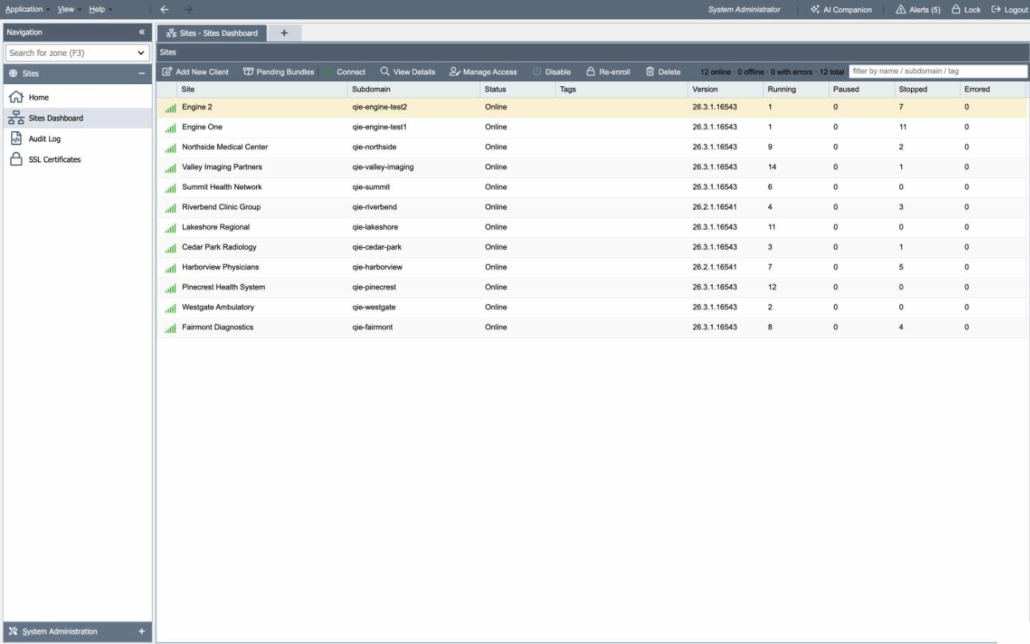
The Sites Dashboard lists every registered site and refreshes continuously from each site’s status reports. For each site you see whether it is online, which QIE version it runs, how many channels are running, paused, stopped or errored, its queue depths, and its memory and thread usage. Filter by name, subdomain or tag when the list is long.
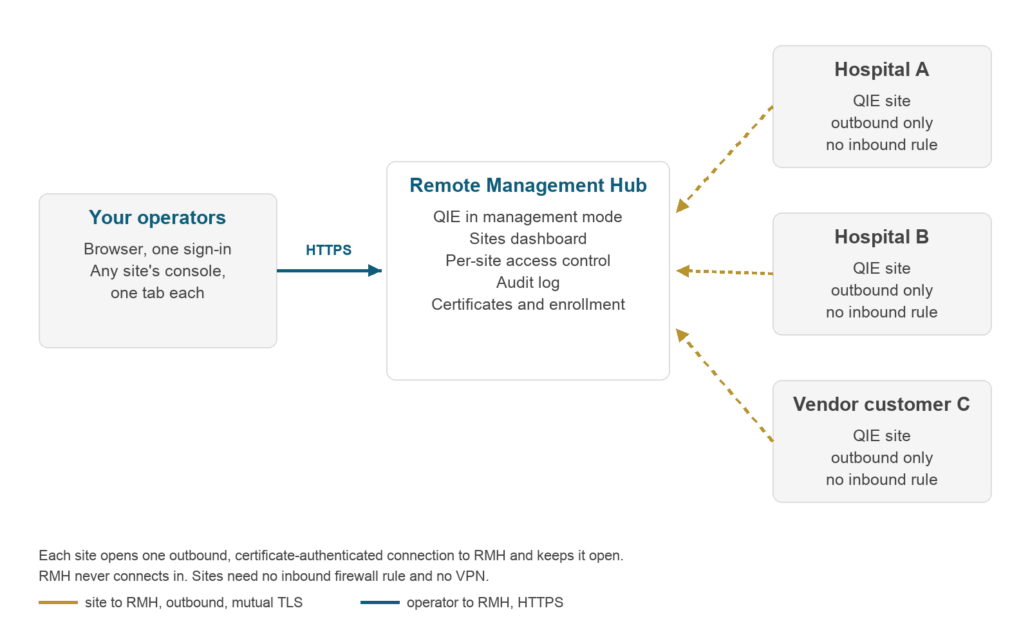
To work on a site, select it and connect. Its own administration console opens in a new browser tab, through RMH, and you sign in to it with that site’s own login. Everything you can do in that console when you are on site, you can do from here.
Around that sit the controls a fleet needs: per-site access grants by user or role, an audit log of every meaningful action, certificate management for every enrolled site, and enrollment of new sites.